We pledge to keep your data secure, follow security best practices, and never sell or share your data with any third party.
As of April 1, 2024, we are proud to announce our compliance with the AICPA SOC 2 Type 2 standards, ensuring that our systems and processes meet rigorous criteria for security.
Additionally, we adhere to the EU’s GDPR compliance checklist for US companies, affirming our commitment to data protection and privacy for our international users.
Furthermore, Bardeen meets the stringent requirements of Tier 2 and Tier 3 of the Cloud Application Security Assessment (CASA) as defined by the App Defense Alliance, built upon the industry-recognized OWASP Application Security Verification Standard (ASVS).
We’ve designed Bardeen so that your app data is only persisted in your local browser cache. The data exchange happens directly between your browser and the integrated third-party application.
This allows us to keep our cloud infrastructure minimal and scalable, and your data safe.Bardeen doesn’t store data from connected applications (such as your calendar, email or any other) in the cloud. The data is persisted in the local browser storage, and never on our cloud servers (for Enterprise users-only with “Workflow Intelligence Platform” see the corresponding section bellow for more details). No third-party or website can access information stored in your browser unless someone compromises your computer itself.
If you are using our paid services, and chosen to run your Automations or Autobooks even when your browser is closed, then part of your automations would be running on our server infrastructure. In this case, an instance of Bardeen would be created every time your automation condition is met (eg. when an e-mail arrives) in order to run your playbook (eg. send me a slack message). Contrast to your browser Bardeen instance, a cloud instance of Bardeen has no storage capabilities, meaning that once your playbook has finished running, all of your data are erased.
To allow you to access your automations and account settings from different browsers, we store the following data on our servers:
This information is securely exchanged between your client and our servers using industry-standard technologies and protocols.
We hate to see our users go. You can remove all your data from Bardeen with a few clicks from the settings page. Learn more here.
To build a product that people love, we need to understand how our users use it.We collect basic information such as how many active users we have, Playbooks people use, and the errors that happen to fix them.
The usage information we collect does not include any user data.
For example, we may store the fact that a user ran a Playbook that saves events from Google Calendar to Notion. But none of the information about the event itself (like subject, date, participants, etc) or data related to Notion (name of the database, column names in the database etc.) is ever collected.
We use Amplitude to store usage and telemetry information (number of Playbooks and Autobook executions, integration activation, etc).
We use Stasig for A/B testing and dynamic configuration.We use Sentry to store anonymized error and crash reports.
For more detailed information, please visit our Privacy Policy page or contact us.
Please note that the Workflow Intelligence Platform (Project Synthesis) is an enterprise-only feature available exclusively to customers within our highest subscription tier, ensuring dedicated security resources and enhanced protection for your mission-critical automation needs.
Bardeen's Workflow Intelligence Platform operates within our comprehensive security framework, ensuring your workflow data remains protected throughout the observation, understanding, and automation processes.
All workflow event streams captured during the observation phase are handled with the same SOC 2 Type 2 compliant infrastructure that powers our core platform.
Like all Bardeen services, Synthesis employs TLS 1.2 for in-transit data protection and 256-bit AES encryption for data at rest.
The data derived from observed browser interaction data is processed securely to create meaningful workflow patterns while maintaining strict privacy controls.
The custom-tailored AI agents created through Synthesis inherit the same stringent security controls that govern our automation platform, ensuring your automated workflows maintain confidentiality, integrity, and availability.
Workflow data collected by Synthesis is never sold or shared with any third party, aligning with our core security pledge and GDPR compliance standards.
Bardeen uses the following Chrome Extension Permissions only for the purposes described.
Please send any security related information or inquiries (including vulnerability disclosures) to security@getwiq.ai
Yes. WIQ is SOC 2 Type II certified and GDPR compliant. We work with clients that have strict privacy requirements in the US and internationally. All data is encrypted in transit and at rest, and we support configurable data residency and retention policies.
WIQ captures browser and desktop interactions like clicks, navigation, and page content to reconstruct how processes are executed. You have full control over what gets captured. Org admins and individual users can configure allowlists and blocklists to include or exclude specific websites and apps. Recording can be restricted to specific time windows and days of the week. Fine-grained data masking is available to redact sensitive fields before data leaves the user's machine.
WIQ uses captured data to reconstruct how your team does work and to generate automation blueprints. We are not in the business of performance management. Your data is used to map processes, measure handle times, identify automation opportunities, and build agent specs.
No. WIQ exists to reconstruct processes and help you automate them. We do not build features for individual performance scoring or surveillance. Individual data can be anonymized and aggregated by request.
Yes. Each user can independently configure their own blocklists, allowlists, and recording schedules through the WIQ browser extension. Users can stop recording at any time.
WIQ currently supports Claude (via MCP) and Workato. Additional platforms are being added by request. If you use a specific platform, let us know and we can discuss integration.
WIQ exposes an MCP server that your agentic platform connects to. Through MCP, agents can query process analytics, retrieve blueprints, check tool availability, and get updates. Your platform handles agent execution; WIQ provides the process context.
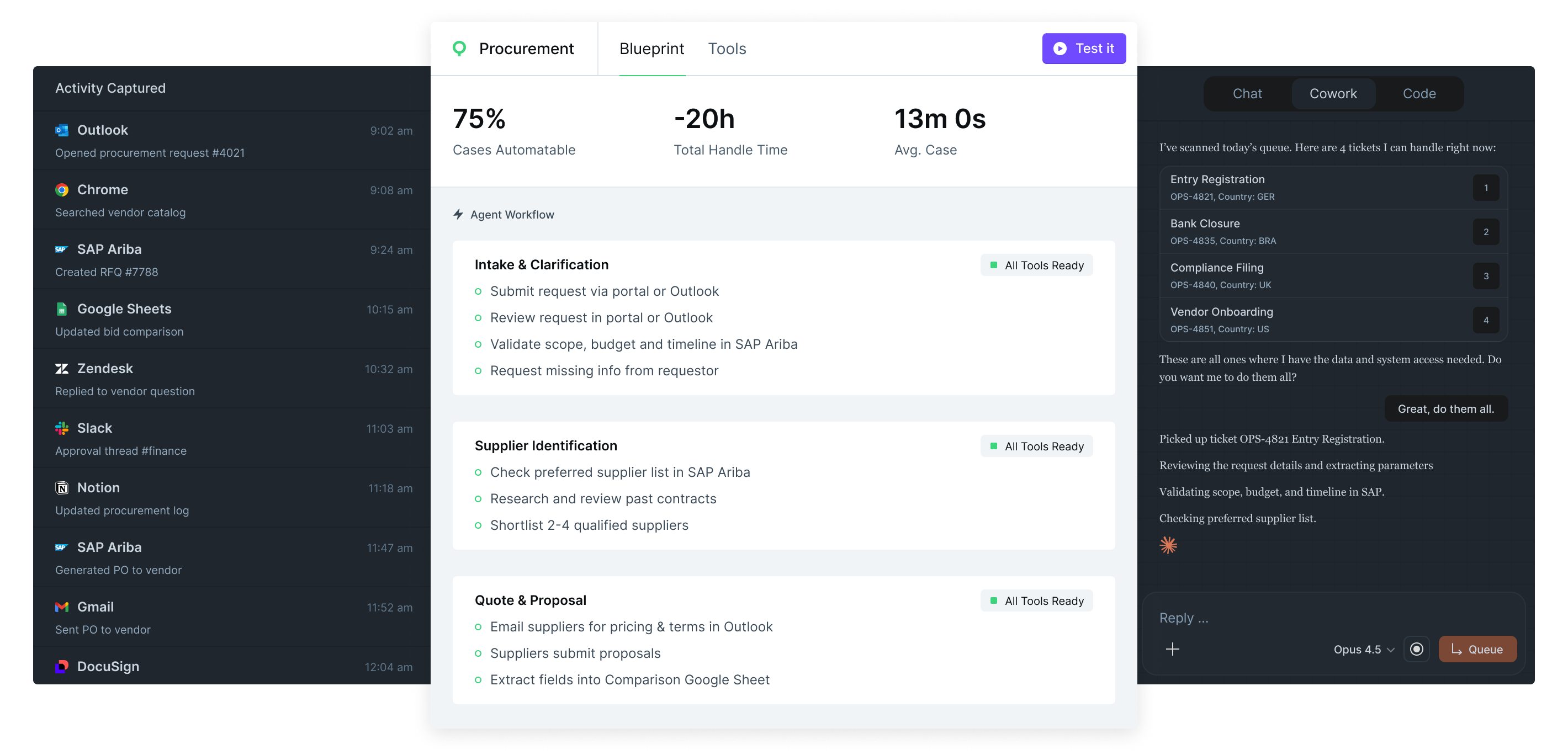
A blueprint is a complete automation spec generated from observed human work. It includes structured agent instructions, a list of required tools and integrations, guardrails, escalation paths, and human checkpoints. Blueprints are designed to be deployed directly into an agentic platform.
WIQ captures data from any browser-based application and most desktop apps on macOS and Windows. On the integration side, blueprints track the specific APIs, MCP servers, and internal tools that agents need. If a required tool doesn't exist, WIQ helps you identify the gap so you can build or connect it.
WIQ's browser extension and desktop app passively record user interactions. Then WIQ's algorithms automatically identify repetitive processes, cluster them, and generate a structured process report with visual graphs, step breakdowns, and handle time measurements.
No. WIQ captures data passively in the background. Users work exactly as they normally do. There is no need to tag activities, fill out forms, or follow a specific workflow during mapping.
Yes. WIQ offers Quick Capture mode, which lets you record a single process end-to-end and generate a blueprint from that one run. This is useful for ad hoc processes or one-off automations that don't require a full mapping deployment.
No. WIQ generates blueprints automatically from observed human work. You do not need to write skills, document steps, or spec out agent behavior by hand.
Blueprints are self-healing. WIQ continuously monitors how work is done, and when a process changes, the corresponding blueprint updates itself to reflect the new steps, tools, or workflows.
WIQ measures actual human handle time for each process by tracking active work time (not ticket open-to-close). When a blueprint is generated, WIQ calculates the percentage of cases that are automatable and the total handle time that would be saved, based on historical data.
Connect your agentic platform (Claude, Workato, etc.) to WIQ via MCP. The platform retrieves the relevant blueprint and executes agent sessions against your task queue. WIQ provides the process context and monitoring; your platform handles execution.
Yes. You can launch concurrent agent sessions that work through your task backlog in parallel. Each agent follows the appropriate blueprint and operates autonomously until it encounters a checkpoint or escalation trigger.
WIQ tracks the same metrics for agents as it does for humans: handle time, SLA compliance, conformance to the blueprint, and deviation detection. You can compare agent and human performance side by side across any process.
Installing the WIQ browser extension and desktop client takes a few minutes per user. Org-level configuration (teams, roles, privacy policies) is typically done in under an hour.
No. WIQ is deployed by individuals and teams directly. The browser extension installs like any Chrome extension, and the desktop client is a lightweight download. No code changes, API integrations, or IT projects are required for process mapping. Depending on available MCPs in your automation platform, you may require assistance from your IT administrator.